
Managing Remote Edge AI Infrastructure with macchina.io REMOTE and Proxmox VE
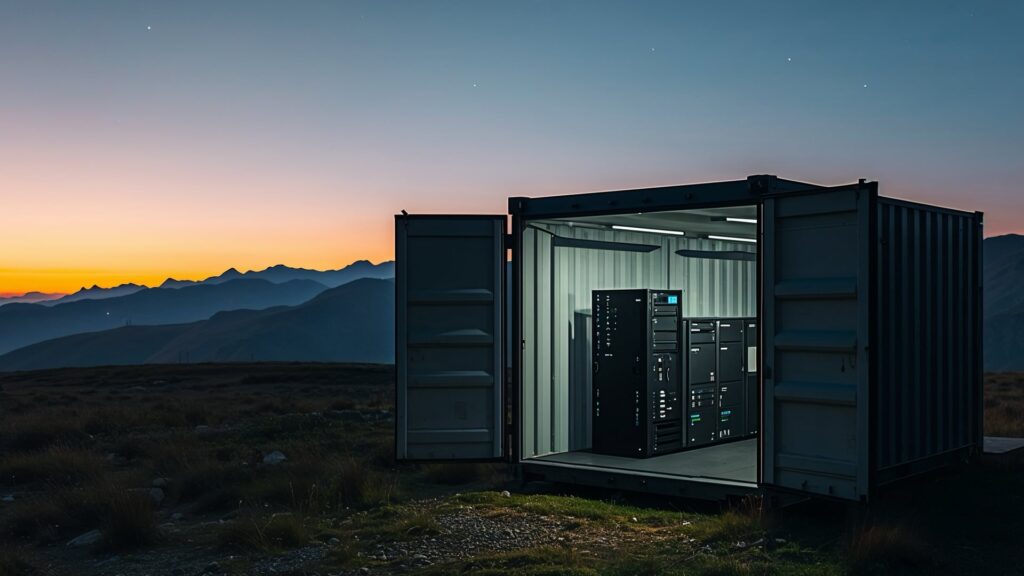
AI is moving to the edge. While cloud computing remains dominant for training large models, a growing number of real-world AI applications demand that inference and data processing happen close to where the data is generated. Think of a cluster of GPU-equipped servers deployed at a remote industrial facility, processing high-resolution camera feeds or sensor data in real time. The data volumes are too large, and the latency requirements too strict, to pipe everything back to a centralized data center.
This creates a new operational challenge: how do you reliably manage and maintain servers that are deployed far from your team, possibly in locations with limited network connectivity and no on-site IT staff?
This post explores a practical architecture that pairs Proxmox Virtual Environment (VE) for server virtualization and workload management with macchina.io REMOTE for secure remote access — giving you full control over your edge AI infrastructure from anywhere.
The Use Case: Edge AI at a Remote Location
Imagine a deployment that looks something like this. A small server rack sits at a remote facility — perhaps a manufacturing plant, an energy installation, or a transportation hub. The rack holds several servers fitted with GPUs, connected to a local network of sensors. These sensors could be high-resolution cameras performing visual inspection, LIDAR units, environmental monitors, or any other devices that produce large volumes of data at high frequency.
The servers run AI algorithms that analyze this sensor data in near real time: detecting anomalies, classifying objects, triggering alerts, or feeding results into local control systems. Because the data throughput can easily reach gigabytes per minute and the application demands low-latency responses, sending raw data to the cloud is simply not viable. The processing must happen on-site, at the edge.
But the edge site may be hundreds of kilometers from the nearest data center or operations team. There may not be a fast, reliable internet uplink. There is almost certainly no full-time IT personnel on-site. Yet the infrastructure still needs to be administered: virtual machines need to be created, updated, and monitored; GPU resources need to be allocated; the operating systems need patching; and when something goes wrong, someone needs to be able to diagnose and fix it remotely.
Proxmox VE: Virtualizing the Edge Server Rack
Proxmox Virtual Environment is an open-source server virtualization platform that combines the KVM hypervisor and Linux Containers (LXC) with software-defined storage and networking, all managed through an integrated web-based user interface. It is a natural fit for managing a small cluster of edge servers.
In this architecture, Proxmox VE is installed directly on each physical server in the rack. If multiple servers are present, they can be joined into a Proxmox cluster, allowing centralized management from a single web interface. From there, the operations team can create and manage virtual machines that run the actual AI workloads.
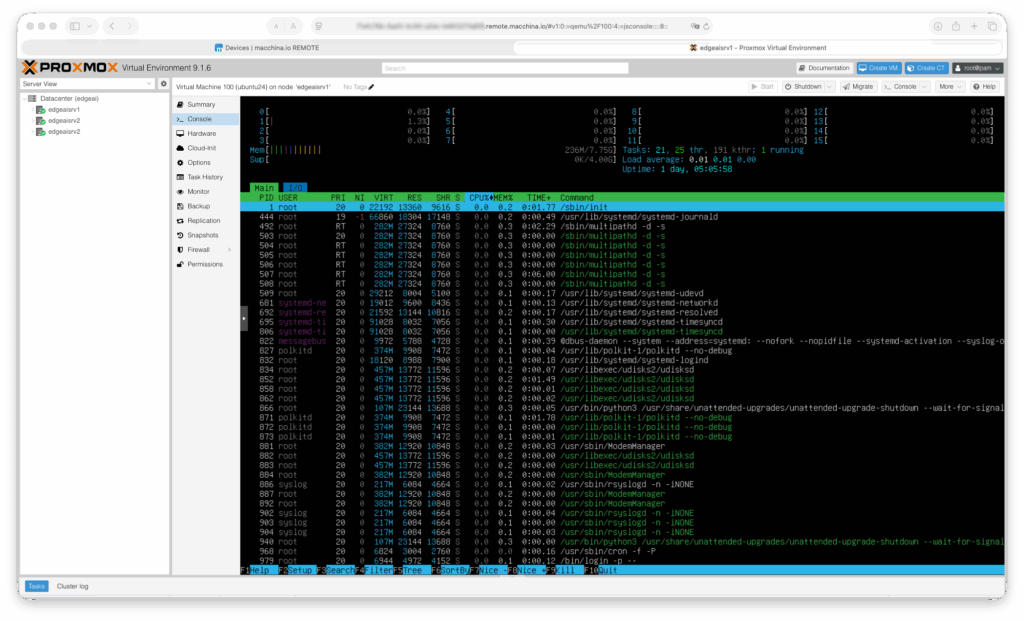
This virtualization layer provides several important benefits for edge AI deployments:
Workload isolation and flexibility. Each AI pipeline — say, one for camera-based visual inspection and another for vibration sensor analysis — can run in its own VM with dedicated resources. Updates or failures in one workload don’t affect the others.
GPU passthrough. Proxmox VE supports PCI passthrough, enabling GPUs to be assigned directly to specific virtual machines. This is essential for AI inference workloads that depend on GPU acceleration. Recent versions of Proxmox VE also support NVIDIA vGPU live migration, allowing GPU-backed VMs to be moved between cluster nodes without downtime.
Simplified management. The Proxmox web UI provides a clear overview of all nodes, VMs, and containers in the cluster, including resource utilization, storage, and networking. Routine tasks like creating VM snapshots, scheduling backups, or adjusting resource allocations can all be done through the browser.
SSH access for deeper administration. Beyond the web UI, Proxmox VE also provides full SSH access to each host, which is essential for lower-level system administration, scripting, automation, and troubleshooting tasks that go beyond what the graphical interface offers.
The challenge, of course, is that both the web UI and SSH need to be reachable from wherever the operations team happens to be — which brings us to the remote access problem.
macchina.io REMOTE: Secure Access Without VPN Headaches
macchina.io REMOTE is a secure remote access solution designed specifically for IoT and edge devices. It enables access to web interfaces (HTTP), shell sessions (SSH), file transfers (SCP, SFTP), remote desktop (VNC, RDP), and other TCP-based protocols on devices that sit behind firewalls or NAT routers — without requiring public IP addresses, port forwarding, or VPN infrastructure.
The way it works is straightforward. A lightweight agent runs on the device (or on a gateway in the same network) and establishes an outbound, TLS-encrypted WebSocket connection to a macchina.io REMOTE server. This server can be deployed in the cloud or on-premises. When an authorized user wants to access the device, the macchina.io REMOTE server brokers the connection through this existing tunnel. The device never needs to be directly reachable from the internet, which eliminates an entire class of security concerns.
For the edge AI use case, macchina.io REMOTE is deployed alongside Proxmox VE on the servers. The macchina.io REMOTE agent and gateway software runs on the servers in the rack, registering them with the central macchina.io REMOTE server. Once registered, authorized team members can securely access both the Proxmox VE web interface and SSH sessions from anywhere — through a standard web browser or SSH client — without any changes to the remote site’s network configuration.
Accessing the Proxmox Web UI Remotely
The Proxmox VE management interface runs as a web application on each node (by default on port 8006). With macchina.io REMOTE, this web UI can be accessed transparently through the remote access tunnel. An administrator simply navigates to the device’s URL in the macchina.io REMOTE portal, and the Proxmox web interface loads in their browser as if they were on the local network. From there, they have full control: creating and destroying VMs, managing storage, monitoring cluster health, configuring networking, and performing live migrations of GPU workloads between nodes.
Remote SSH Access
For tasks that require the command line — installing packages, updating GPU drivers, debugging a misbehaving VM, reviewing system logs, or running automation scripts — macchina.io REMOTE forwards SSH connections just as transparently. The administrator connects through macchina.io REMOTE using their standard SSH client, and the session is tunneled securely to the remote server. There is no need to maintain a VPN connection, and no need for the server to have a publicly routable IP address.
Fine-Grained Access Control
macchina.io REMOTE includes role-based access control (RBAC) and two-factor authentication (2FA), which is particularly valuable in edge deployments where multiple parties may need access. For example, the core operations team might have full SSH and web UI access to all servers, while a third-party service partner might only be able to access the Proxmox web UI on a specific node — and only during a defined maintenance window. This level of granularity is difficult to achieve with traditional VPN setups.
Beyond the Servers: Managing the Entire Edge Site
One of the practical advantages of macchina.io REMOTE is that it is not limited to managing just the servers. In a typical edge deployment, the server rack does not exist in isolation. It depends on supporting infrastructure: an uninterruptible power supply (UPS), network switches, and the very sensors that produce the data the AI workloads process.
macchina.io REMOTE can provide remote access to all of these devices, as long as they expose a web interface, SSH, or other TCP-based management protocol. This means the operations team can use a single platform to:
Manage the UPS. Most rack-mounted UPS units offer a web-based management interface for monitoring battery health, load levels, and power events. With macchina.io REMOTE, this interface is accessible from anywhere, allowing the team to check power status, configure alerting thresholds, or initiate a controlled shutdown if needed — without dispatching someone to the site.
Administer network infrastructure. Managed switches and routers at the edge site can also be accessed through macchina.io REMOTE, making it possible to diagnose network issues, update firmware, or reconfigure VLANs remotely.
Configure and troubleshoot sensors. The cameras and other sensors that feed data to the AI algorithms often have their own web-based management interfaces for adjusting resolution, frame rate, exposure, field of view, or firmware. Being able to access these interfaces remotely — through the same platform used to manage the servers — greatly simplifies operations. If a camera feed looks degraded, an operator can check the camera’s configuration directly rather than guessing at the problem from the server side.
This holistic approach means that macchina.io REMOTE effectively becomes the single point of remote management for the entire edge site, not just the compute infrastructure.
Architecture Overview
Putting it all together, the architecture looks like this:
At the remote site, the physical servers run Proxmox VE as their base platform. Proxmox VE hosts the virtual machines that run AI inference workloads, each with access to GPU resources. The macchina.io REMOTE agent and gateway software also runs on the servers (or on a dedicated lightweight gateway device), maintaining a persistent, encrypted tunnel to the macchina.io REMOTE server.
Other devices at the site — the UPS, cameras, network equipment — are also reachable through the macchina.io REMOTE gateway, which acts as a bridge to the local network.
On the operations side, administrators connect to the macchina.io REMOTE server through their web browser or SSH client. The macchina.io REMOTE server authenticates them, enforces access policies, and routes their connections through the appropriate tunnel to the target device. The administrators can then interact with the Proxmox web UI, open SSH sessions to servers, check on the UPS, or adjust camera settings — all without any direct network path to the remote site.
Why This Combination Works
The pairing of Proxmox VE and macchina.io REMOTE addresses the two core challenges of remote edge AI deployments.
Proxmox VE handles the complexity of running multiple AI workloads on shared hardware. It provides the virtualization, resource management, GPU passthrough, clustering, high availability, and backup capabilities needed to keep GPU-accelerated AI pipelines running reliably on a small fleet of servers, all managed through a clean web interface and SSH.
macchina.io REMOTE solves the connectivity problem. It makes all of that management capability securely accessible from anywhere, without exposing the edge infrastructure to the internet and without the operational overhead of maintaining VPN tunnels to remote locations with unpredictable network conditions. Its ability to also cover non-server devices — UPS units, sensors, cameras, network gear — means the operations team has a complete view of the remote site through a single access layer.
Together, they let a small team manage a sophisticated edge AI deployment as comfortably as if the servers were in the next room.
Getting Started
Both Proxmox VE and macchina.io REMOTE are designed to be quick to deploy. Proxmox VE can be installed from an ISO on bare-metal servers in minutes, and a cluster can be formed as soon as multiple nodes are online. macchina.io REMOTE offers a free account to get started, and the agent software can be installed on Linux-based systems in a matter of minutes. A full remote access setup — from installation to first remote connection — can realistically be completed within an hour.
If you are deploying AI workloads at the edge and need a reliable, secure way to manage the infrastructure behind them, this combination is well worth evaluating.
Links: